
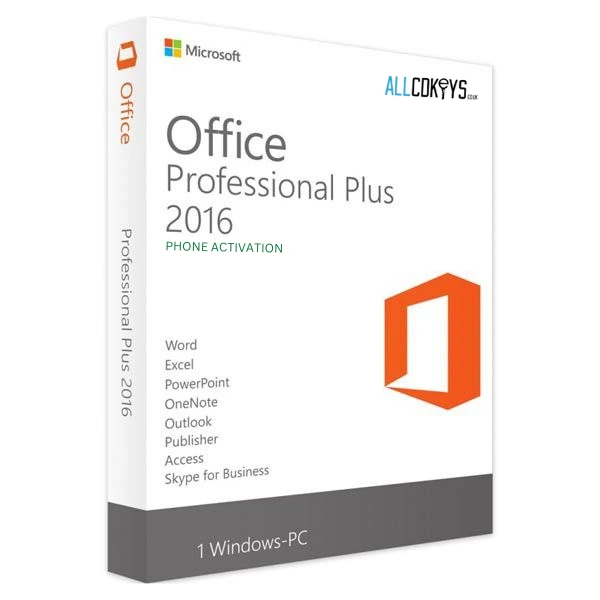
How to Choose the Right Windows or Microsoft Office Licence
Learn how to compare software editions, check device compatibility, understand activation requirements, and review digital-key terms before purchasing Windows or Microsoft Office.
Buying a software licence online can be straightforward, but choosing the correct edition requires a little research. Product names may look similar while the operating system, included applications, platform requirements, or licence conditions differ.
Before paying, identify what you need the software to do, confirm that it works with your device, and read the product's activation and licence information. These steps can help you avoid buying an edition that does not fit your requirements.
1. Identify What You Need the Software For
Start by identifying the task you want the software to perform. A home computer, a work laptop, and a business server can require different products, even when they belong to the same software family.
For Windows, consider the operating system edition and the features you need. For Microsoft Office, think about the applications you use, whether you need a Windows or Mac version, and whether the listed product matches your intended workflow.
Do not select a product simply because it has the lowest displayed price. The correct edition is the one that fits your system and use case.
2. Compare Product Editions Carefully
Windows editions
Windows product listings may use terms such as Home and Pro. Read the edition description to understand which version is being offered and whether it meets your needs.
Check whether you are buying a licence key, an upgrade, or another type of product. Do not assume that every listing includes the same rights or installation requirements.
Microsoft Office editions
Office products can differ by release year, included applications, and operating system. A listing for Office on Windows should not automatically be treated as suitable for a Mac.
Read the full product name and specifications. If the listing does not clearly identify the version or supported platform, ask the seller before purchasing.
3. Check Operating-System and Device Compatibility
Compatibility is one of the most important checks when buying a digital software key. Review the product page for supported operating systems, platform restrictions, and any prerequisites.
For a computer you already own, confirm the system version and whether it meets the product's stated requirements. For server software, check the intended server environment and edition requirements before buying.
When the information is unclear, seek clarification instead of guessing. A low price does not compensate for a product that cannot be used on your device.
4. Understand Region Restrictions
Some digital keys are limited to a particular region. A key advertised for one market may not activate in another country or may have other regional conditions.
Look for region labels such as UK, EU, US, or worldwide on the product page. Read the full description rather than relying on the product image or short title alone.
If you are purchasing from outside the seller's main market, confirm that the key is valid for your location before completing the transaction.
5. Read the Licence Terms
A product key and a software licence are related, but they are not the same thing as a guarantee that every use is permitted. Licence conditions can depend on the product, the edition, and whether the software is intended for personal, business, educational, or other use.
If you need software for a company, check the terms for commercial use and the number of devices or users covered. If the listing does not explain the licence type, request clarification before buying.
Keep a copy of the product description and order confirmation. These records can help you resolve questions about what was purchased.
6. Understand How Digital Delivery Works
Digital software stores commonly provide product keys or codes electronically. Depending on the seller and product, delivery may occur through an account dashboard, email, or a manual fulfilment process.
Before ordering, check the expected delivery method and timing. Make sure the email address entered at checkout is correct and that you can access the account used for the purchase.
After payment, check your account's order history and the email inbox, including spam or junk folders. If the key is still missing after the stated delivery window, contact the seller with your order number.
7. Compare the Final Price, Not Just the Advertised Discount
A large markdown can attract attention, but the product's actual value depends on more than the percentage shown beside it. Compare the final checkout total with the product's edition, licence terms, compatibility, and the cost of suitable alternatives.
If a promo code is available, check whether it applies to the product you want and whether it can be combined with an existing sale. Some promotions exclude already-discounted items or cannot be stacked.
For example, ALLCDKEYS currently displays the NEW25 promo code on its website, but the store states that it cannot be combined with promotional offers and discounts. You can review the current [ALLCDKEYS Discount Code] page for the offer's stated conditions before placing an order.
8. Check the Seller's Support and Refund Information
Before purchasing a digital product, locate the seller's contact details, delivery policy, and refund or return terms. These details matter if a key is delayed, invalid, region-locked, or unsuitable for your intended use.
Do not assume that digital purchases automatically qualify for a refund. The rules may depend on the seller's published policy, whether a key has been redeemed, and applicable consumer law.
If a seller does not clearly explain its process for activation problems or refund requests, ask for clarification before buying.
9. Keep Your Order and Activation Records
Save the order confirmation, product name, activation instructions, and any licence information supplied with the purchase. These records can make it easier to identify the product later and provide useful evidence when contacting support.
Avoid sharing a purchased key publicly. Follow the seller's and software publisher's instructions for redeeming or activating the product.
If an activation error occurs, record the error message and the platform where it appeared. Clear information helps support teams investigate the issue more efficiently.
10. Common Mistakes to Avoid
Choosing the wrong edition
A similar product name does not mean that two editions are interchangeable. Check the full edition and intended use.
Ignoring region restrictions
Do not assume that a key purchased from an overseas seller will work in every country. Verify regional availability before payment.
Overlooking platform requirements
Confirm whether the product is intended for Windows, Mac, a particular game launcher, or another platform.
Buying based only on a discount
Compare the final price with compatibility, licence terms, activation instructions, and the seller's support information.
Assuming delivery will always be instant
Some digital products may require order verification or manual processing. Check the delivery policy and keep the order confirmation.
Skipping the refund policy
Read the refund conditions before buying, especially if you are uncertain about compatibility or licence requirements.
11. A Practical Pre-Purchase Checklist
Before completing a software purchase, ask yourself:
Is this the exact edition I need?
Does it support my operating system or platform?
Are there regional activation restrictions?
Is the licence suitable for my intended personal or business use?
How and when will the key be delivered?
Does the seller explain how to handle activation problems?
Have I read the return and refund conditions?
Does the final checkout price reflect the expected discount?
Have I saved the order confirmation and product details?
If any essential detail is missing, pause and confirm it before paying.
Conclusion
Choosing the right software licence starts with understanding the product, not the discount. Compare editions, verify compatibility, review region and activation requirements, and read the seller's policies before completing your purchase.
A careful check can help you choose a product that meets your needs and reduce the risk of problems after checkout. Keep your purchase records and contact the seller promptly if delivery or activation does not work as expected.
Internal Link Note: Add one contextual internal link to the Store Page using the anchor text ALLCDKEYS Discount Code in the paragraph about checking the promo-code terms.